What does it take to get a feature switched on by default in WordPress Core? In this case, apparently, an old plugin with a hundred-odd active installs and an update dating back 18 years is a perfectly good starting point.
The idea behind Matt Mullenweg’s Random Redirect plugin has made its way into the WordPress 7.2 beta. Add /random/ to a site’s address, and WordPress sends you to a randomly selected published post.
A bit of fun? Certainly. Something every existing WordPress site needs enabled automatically? That is where I start having questions.
The issue is not whether random links can be useful. It is why this feature should be on by default, with no dashboard switch to turn it off.
For clarity, this is the position as of November 10, 2026: WordPress 7.2 is still in beta, its final release is scheduled for December 8, and the documentation describes random redirects as enabled by default. There is still time for that decision to change.
What the WordPress Random Redirect Actually Does
The basic behavior is simple. Someone visits your site’s /random/ URL and gets redirected to a random published post. The intention is to help people discover content they might otherwise never find, particularly older posts buried in an archive.
There is a little more to it than picking any old blog post:
- Random URLs can narrow the selection to a category, tag, or author.
- Certain custom post types qualify automatically when they are publicly queryable and have an archive.
- Regular WordPress pages and media attachments are excluded.
- An existing page using the slug
randomtakes priority over the redirect. - The endpoint can be renamed through the permalink settings, for example from
randomtoshuffle.
So, if your main objection is the word “random,” excellent news. You can change it.
If your objection is having the feature enabled in the first place, that requires PHP.
How Did an Opt-In Proposal Become a Default?
The original Core ticket was opened by Anne McCarthy in January after Matt Mullenweg asked for the feature to be considered for WordPress 7.0. The proposal included discussing a minimal, opt-in version.
Somewhere between that proposal and the 7.2 beta, the position shifted from considering whether people might want it to enabling it for them.
When Core committer John Blackbourn asked how the feature fitted WordPress’s 80% rule, McCarthy pointed to Mullenweg’s repeated requests as the reason it was being pursued in Core.
That rule matters. The WordPress philosophy describes Core as providing features the vast majority of users can appreciate and use. More specialized requirements belong in plugins.
A plugin’s install count cannot tell us everything about demand. Plenty of useful ideas start small, and low adoption alone does not prove a feature has no value. But if the argument is that this belongs in Core for the vast majority of WordPress users, I would like to hear the part that goes beyond a request from the project’s leadership.
By the time The Repository covered the developer pushback, Aaron Jorbin’s November 5 developer note had attracted around 90 comments, most of them critical.
For a feature intended to help people discover overlooked posts, it certainly managed to get this particular post some attention.
Content Discovery Is Useful, but WordPress Is Not Just a Blog
There is a reasonable case for random links. Chris Coyier has used them on his own site for years. Wordfence founder Mark Maunder supported enabling the feature by default because it could give neglected posts another chance to find an audience.
Jorbin’s argument was that most people want their content to be discovered. On a straightforward blog full of evergreen articles, I can see the appeal.
But WordPress is a content management system, not simply a blogging platform. Published content serves all sorts of purposes, and not every public item belongs in a lucky dip.
The expired-offer problem
Imagine a client site with a custom post type for offers. Some expired offers remain published because customers still have direct links to them, but you have removed them from the navigation for obvious reasons.
If that post type meets the eligibility requirements, a random redirect could send someone straight to last year’s offer. They then ask your client to honor last year’s price.
A pleasant surprise for the visitor. A somewhat different surprise for the client, who now has a pricing dispute to deal with.
This is not an argument for leaving confidential information publicly accessible. Confidential content needs proper access controls. Removing something from navigation does not make it private.
The distinction is that some genuinely public content only makes sense when someone arrives with the right context. Publicly accessible and suitable for random promotion are not the same thing.
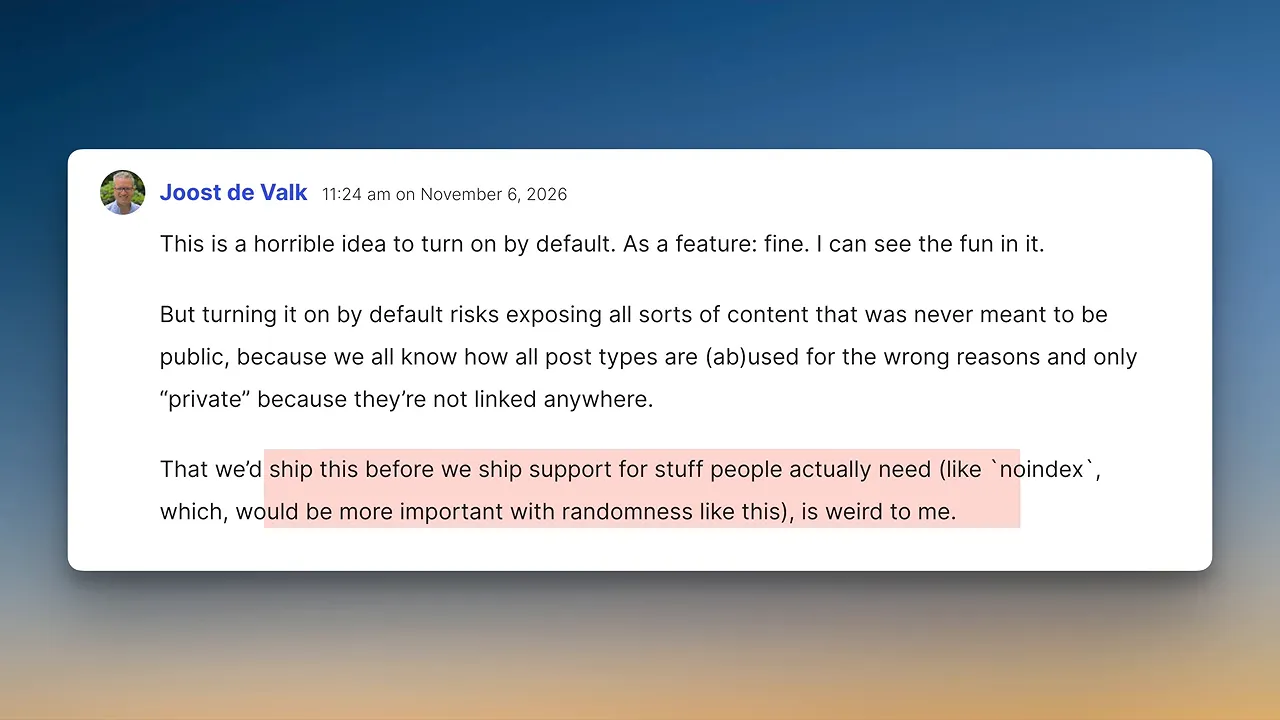
That was the concern Joost de Valk raised. He suggested built-in support for a noindex option could also give WordPress a signal to exclude certain content from random results. That was a proposed improvement, not an exclusion site owners should assume already exists.
Jorbin pointed out that developers can customize the query. Fair enough, if you have a developer. If you are the developer, that is another task to add to the care plan.
What About Database Performance?
The implementation asks the database to put matching posts into a random order and return a single result. Returning only one post sounds lightweight, but it does not necessarily mean selecting that post is cheap.
Ryan McCue from Human Made questioned what would happen on a large site if bots repeatedly requested the endpoint.
A test reported by WP Staging’s René used an archive containing two million posts. The reported results were:
- A single random query took nearly two seconds.
- A batch of 20 simultaneous requests took 14 seconds to complete.
That is one test on a very large archive, not evidence that every WordPress site will suddenly become slow. It is still a reasonable performance concern to investigate before enabling a new public endpoint by default.
Imagine explaining why a client’s database is having a particularly busy afternoon and having to say that the site now offers a new way for people, or bots, to ask for a surprise.
A separate caching issue
Testing also uncovered a caching bug involving selected posts whose permalinks pointed to another domain. In that situation, the fallback could be cached, causing everyone to receive the same post.
A patch was submitted, so this should be understood as an issue found during beta testing rather than an inevitable final-release behavior.
Although, in fairness, sending everybody to the same random post would make the feature rather easier to explain.
How to Disable the WordPress 7.2 Random Redirect
The documented way to disable the feature is this filter:
add_filter( 'wp_enable_random_content_redirect', '__return_false' );The official developer note documents its use in a must-use plugin. If you maintain client sites, test it on staging before deploying it.
There is no dashboard checkbox to do the same job in the beta implementation discussed here. Renaming the endpoint in the permalink settings is not the same as disabling it.
Jorbin’s defense of that approach was that adding an option for every feature would make WordPress’s settings screens unmanageable. I have spent enough time clicking through WordPress settings to sympathize with that argument.
But there is an obvious alternative that does not require another checkbox: leave the feature off until someone deliberately enables it. That was already part of the original discussion.
One Line of PHP Is Not the Whole Job
One developer said they would need to deploy a must-use plugin to more than 200 websites to disable the feature.
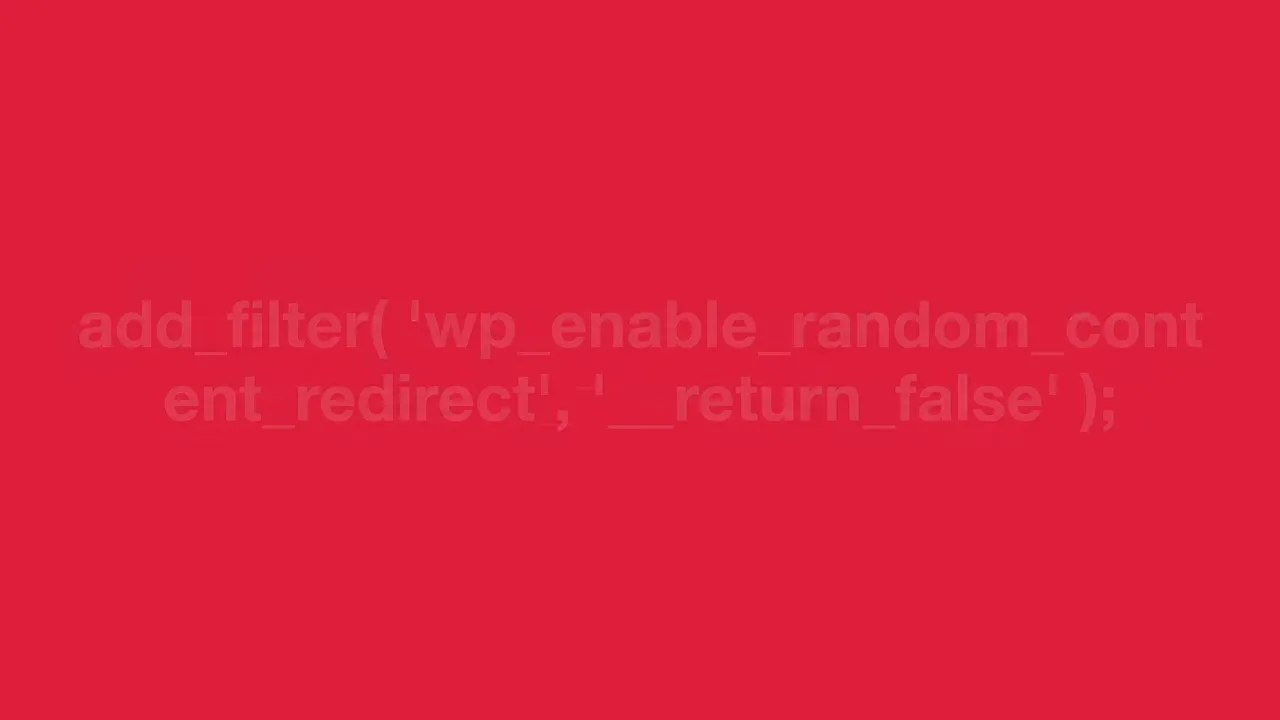
It is easy to dismiss this as a one-line fix. The code is one line. The job is getting that code onto the sites and checking that everything works.
That takes time, and time has a cost. Whether the agency absorbs it or the client pays for it, switching on a feature automatically does not make the resulting maintenance work free.
For someone managing their own website who has never touched PHP, the situation is even less appealing. They may now need to contact a developer to remove something they never asked to have enabled.
This is why defaults matter. They determine who has to do the work. An opt-in feature puts the setup effort with the people who want it. An enabled-by-default feature puts the removal effort with everyone who does not.
The Bigger Question Is How Features Earn Their Place in Core
Ben May from The Code Company questioned why this feature appeared to have taken a different route into Core.
Contributors are often asked to build a feature plugin, gather evidence, and demonstrate that people actually want the functionality before it becomes part of WordPress itself.
Here, a plugin already existed. It had existed for years, with relatively modest active use. That does not automatically settle the question, but it makes the demand question worth answering properly.
If there is stronger evidence supporting a default rollout across existing sites, I would genuinely like to see it.
This is not about refusing every small or playful improvement. It is about applying a consistent standard when a change affects sites whose owners have not chosen it.
I Would Keep It as a Plugin and Move Other Work Up the Roadmap
My preference would be to leave random redirects as a plugin. If someone wants a surprise-me link on their blog, lovely. Install it, enable it, and enjoy it.
I say that as someone who loves WordPress, still uses it, and has spent years teaching people how to get more out of it. I want it to remain the platform I can confidently recommend when someone asks what they should use for their next website.
But AI website builders and competing platforms are starting to steal its lunch money. Clients are looking at tools that can take a brief and produce a working first draft in minutes. Meanwhile, a random redirect gives me a new way to explain how someone might stumble across an expired offer.
I have a fairly good idea which demonstration is more likely to get a second meeting.
I would rather see that effort go toward making WordPress:
- Easier to build with.
- Quicker to work in.
- Simpler for clients to manage after handover.
Those are improvements I can point to when a client asks why WordPress is the right choice for their business.
The WordPress 7.2 release schedule leaves room for the implementation to change before the planned December 8 release. Hopefully, that includes reconsidering the default.
If a client asks me for a URL that sends their customers somewhere at random, fair enough. It has yet to come up in a discovery call, though.
A feature can be enjoyable and useful without needing to be switched on for everyone. That is the distinction I would like WordPress Core to get right.


